WhatOnSite
    Why WhatOnSiteSee it workingHow it worksPricing
    Create accountSign in →
    Sign in

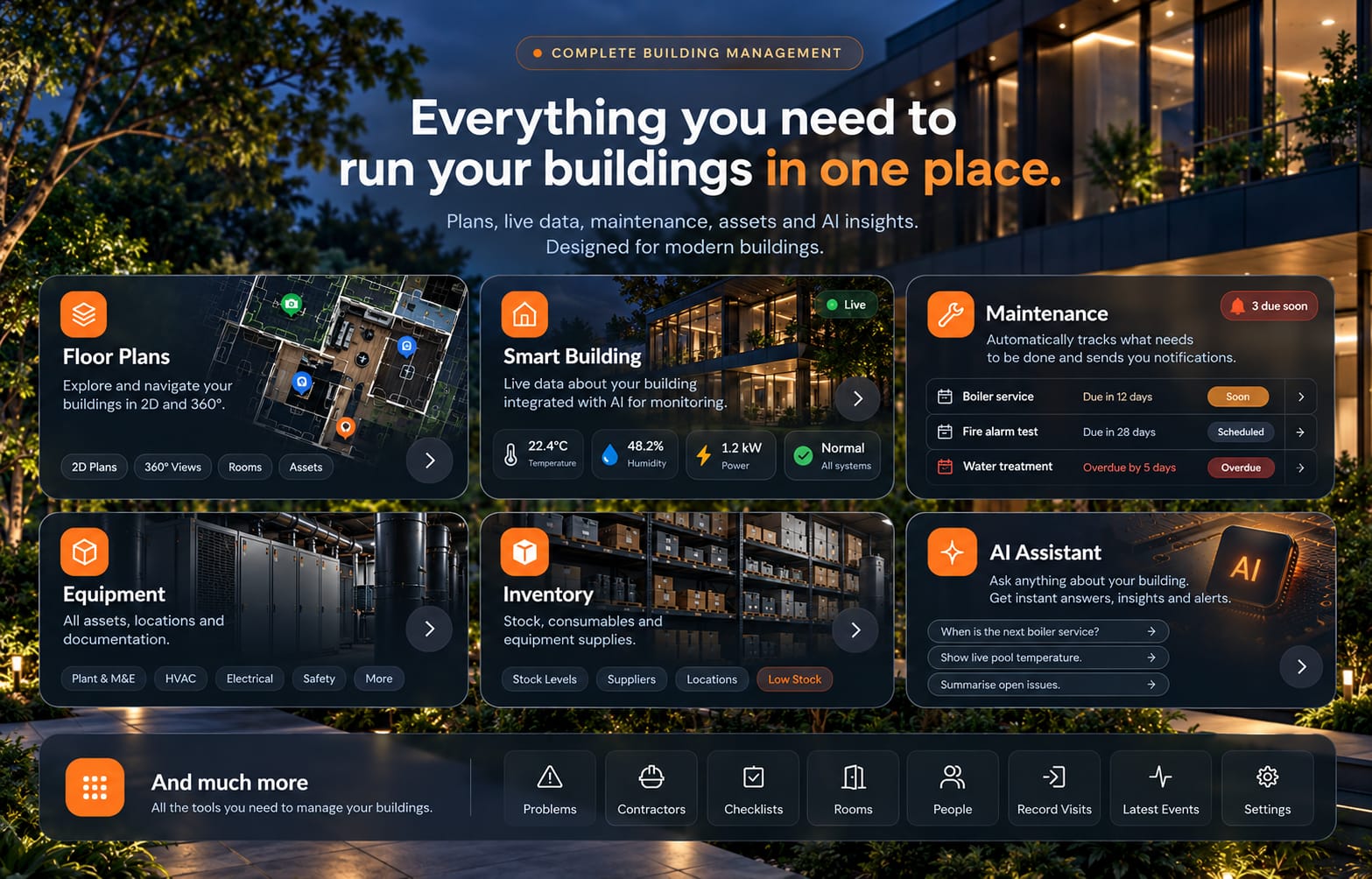
    Everything you need to run your buildings in one place.

    Everything you need to run your buildings in one place: floor plans, smart building data, maintenance, equipment, inventory and the AI assistant, over a modern building at night

    WhatOnSite shows where every piece of equipment is, when it needs a service and what went wrong last time — so your team spends minutes, not hours, and small problems never become expensive ones.

    Create your building — free →Watch it work
    Saves time every dayPrevents problems before they happenYour data stays yours

    The problem we solve

    Every building wastes time and hides problems waiting to happen.

    Whoever manages large homes or commercial buildings meets the same problems again and again. The information exists — on paper plans, in spreadsheets, in someone's memory. It's just never there when you need it.

    1. 01

      Equipment is hard to find

      Buildings are full of hidden systems: leak sensors, fire detectors, network routers, stopcocks, manifolds and wiring. When something breaks, time goes on searching, studying drawings and calling previous contractors.

      Saves time

      WhatOnSite keeps a digital map of the building. Find any equipment and see where it is, its photos, drawings and manuals — in a few clicks.

    2. 02

      Maintenance is hard to keep on top of

      Dozens of systems, lots of equipment and many contractors. A service is easy to miss, a repeat visit costs money, and contractors change and don't always know the site.

      Prevents problems

      The technician scans the QR code, gets everything they need and records the service on the spot. The history is saved to the cloud automatically — no separate logbooks, no reports to put together by hand.

    3. 03

      Faults are found too late

      Most expensive breakdowns start as something small — a temperature creeping up, a reading that drifts — that nobody noticed in time.

      Prevents problems

      The building's digital passport is joined to your smart home system and sensors. They watch the equipment and flag anything outside its safe range before a small problem becomes a costly failure.

    4. 04

      Data alone doesn't tell you what to do

      Sensor readings, service history and past faults pile up, but someone still has to read them and spot the pattern.

      Coming next

      An AI that analyses sensor data, service history and faults — spotting equipment that is overheating or voltage that keeps dropping — and writes a report with recommendations. Today you can already ask the AI Manager about your building.

    WhatOnSite does two thingsAnd does them really well.

    Saves time

    Type a name, scan a QR code or ask the AI — the 360° photo opens right at the equipment, with its manuals and history.

    Prevents problems

    Service reminders, live sensor alerts and problems pinned to the exact spot — so issues are fixed before they become damage.

    See it working

    Real screens. Real buildings. No mock-ups.

    Everything below is recorded in WhatOnSite as it is today.

    Saves time

    Find any equipment in seconds.

    Type “smoke detector”. WhatOnSite opens the 360° photo of the room, turned to face it, with the marker glowing and the floor plan beside it.

    Walk the building, open every ceiling tile
    Search, see it, go straight to it
    whatonsite.com · searchREAL RECORDING
    Prevents problems

    Report a problem exactly where it is.

    Pin the fault on the 360° photo. Whoever fixes it sees the spot, the description, the photos and every update — no more “which one did you mean?”.

    • Status from Open to Resolved, with a full history
    • Assign a contractor and a deadline
    • One click from the list to the exact place
    whatonsite.com · problemsREAL RECORDING
    Prevents problems

    Never miss a service again.

    Every service has a date, a contractor and a status. Soon, scheduled and overdue are impossible to miss — and one click shows the equipment on site.

    A spreadsheet nobody checks
    Reminders before the date, and proof it was done
    whatonsite.com · maintenanceREAL RECORDING
    Prevents problems

    Live readings, right where the sensor is.

    Temperatures, humidity and power from your sensors appear on the 360° photo. Set a safe range and get an alert before the freezer, server room or wine cooler goes wrong.

    • Today, 7 days, 30 days, a year — lowest, average, highest
    • Upper and lower limits with alerts
    • Works with Home Assistant and your BMS
    whatonsite.com · smart buildingREAL RECORDING

    See behind the walls

    Photograph it before the wall closes. See it for years.

    Take a 360° photo during construction and another when it's finished. WhatOnSite keeps them on the same spot, so you can look at both side by side, any time.

    Know exactly where the pipes and cables run — before anyone drills into a wall.

    During construction: red cable ducts and pipe connections on a bare block wall
    During construction8 Oct 2026
    The same garage wall finished, with cabinets and the floor plan showing where the photo was taken
    Finished22 Oct 2026 · same spot

    Saves time on every repair · prevents costly mistakes during renovations

    On site, on the phone

    Stick a QR code. Scan it. Know everything.

    A sticker on the boiler, the heat pump or the electrical panel opens its page: what it is, where it is, when it was serviced and who to call.

    A technician sticking a WhatOnSite QR code onto a heat pump
    1Stick a code on the equipment
    A technician scanning the QR code on an electrical panel with his phone
    2Scan it — the history opens
    The equipment list on a phone: pump, boiler, fire extinguisher, air conditioner and leak detector with their status

    AI Manager

    Just ask your building.

    Type or speak a question. The answers come from your own building — its equipment, services, problems and documents — and can be read aloud.

    Any new problems today that need fixing?When is the next boiler service?Where is the main stopcock?Which equipment is overdue?
    The AI Manager answering “Any new problems today that urgently need fixing?”

    How it works

    Set up your building, step by step.

    The Guide walks you through every step. Start with one room — it pays back the first time you need to find something.

    Upload your floor plan

    A PDF, a drawing or even a photo of the fire escape plan. Draw the rooms on it.

    Take 360° photos

    Walk the route with an Insta360 or your phone. Each photo lands on its spot on the plan.

    Mark the equipment

    Tap the boiler, the valve, the detector. Add manuals, service dates and the contractor.

    Find it, fix it, stay ahead

    Search, scan QR codes, get service reminders and live alerts. Ask the AI anything.

    The building changes. Its knowledge stays.

    ConstructionCapture what will later be hidden.
    HandoverHand over a building that explains itself.
    MaintenanceFind equipment and its history quickly.
    EmergencyLocate critical controls in seconds.
    RenovationSee what's behind walls and ceilings.
    New teamKeep the knowledge when people change.

    Our goal

    Every building should have its own digital memory.

    So any manager or technician can quickly understand what is in the building, where it is, how to look after it and what has happened to it before.

    This isn't just somewhere to keep documents. It's one platform for the building's information, its maintenance, its contractors and — next — intelligent monitoring.

    Pricing

    Start with one building. Scale when you need to.

    One licence, every feature. Or £49 a month if you prefer. Your building data is always yours.

    Most Popular

    Building Knowledge Platform

    Manage your building

    Complete building management with maintenance, equipment, documents, issues and AI.

    £49/ month

    or £1,495 one-time licence

    Includes 12 months of updates. Optional annual support and updates available afterwards.

    What's included:

    • Documents
    • Problems / Issues
    • Maintenance
    • Assets
    • Contractors
    • Tasks
    • Reports
    • AI Assistant
    • Larger Cloud Storage
    Start Pro Trial

    30-day free trial · No credit card required

    Enterprise

    Enterprise Digital Twin

    Enterprise deployment

    Secure enterprise deployment with customer-owned storage, private cloud, SSO and enterprise integrations.

    Custom

    Everything in Pro, plus:

    • Customer-owned cloud
    • Private cloud
    • Local server
    • AI Assistant
    • SSO
    • Storage integrations
    • On-site setup
    • 360° capture service
    • Drone inspections
    • Staff training
    Contact Sales

    Stop searching.
    Start knowing.

    Know what's in your building, where it is, what has happened to it and what needs to happen next.

    Create your building — free →Sign in
    © 2026 WhatOnSite · Building knowledge, in one place